This article will take approximately 19 minutes to read. Don't have the time right now? No worries. Email the ad-free version of the article to yourself and read it later!
Getting a working number in the Philippines means choosing a network, picking a prepaid or eSIM plan, and registering the SIM by law with your passport. This guide covers all of it: which carrier to pick, what data costs, where to buy, and exactly how a foreigner clears registration with no Philippine ID.
A local SIM is the first thing most arrivals sort out, because so much of daily life here runs through a phone number: Grab, GCash, food delivery, and the two-factor codes for your bank all expect one. Data is cheap, coverage is good across the cities, and a prepaid SIM costs very little to run.
The one catch that trips up newcomers is registration. Every SIM in the country ships deactivated and stays that way until it’s registered, and there’s no tourist exemption. The good news is that a passport is all the ID a foreigner needs. Tourists also need proof of address, like a hotel booking, plus a return flight. Registration is free. This guide walks through the whole thing, from choosing a network to keeping your number alive after the first month.
Disclaimer: This article may include links to products or services offered by ExpatDen's partners, which give us commissions when you click on them. Although this may influence how they appear in the text, we only recommend solutions that we would use in your situation. Read more in our Advertising Disclosure.
Contents
- Key Takeaways
- Do You Need a Local SIM Card?
- The Three Networks: Globe, Smart, and DITO
- Physical SIM vs eSIM
- Plans and Prices
- Where to Buy a SIM Card
- SIM Registration for Foreigners
- Loading and Checking Your Balance
- Keeping Your Number Active
- Now, on to You
- FAQ
- Which network is best for a foreigner?
- Can I buy and register a SIM at the airport?
- Can I register a Philippine SIM before I arrive?
- Does an eSIM need to be registered too?
- What if I don't have a hotel booking, because I'm staying with a friend?
- Do I need to register more than one SIM if I use two networks?
- Is in-person registration going to become mandatory?
Key Takeaways
- Three networks cover the country: Globe (broadest coverage), Smart (strong 5G), and DITO (fastest speeds, thinner coverage). Globe is the safest default for most travelers.
- Data is cheap. DITO’s data sachets start at PHP10 for 500MB, and all three carriers sell data-heavy tourist bundles for a month’s stay.
- All three support eSIM, and international travel eSIMs like Airalo start around US$4, working the moment you land.
- Every SIM must be registered by law before it activates. A passport is enough ID for a foreigner. No Philippine ID is required.
- Tourist SIMs run on a 30-day clock and deactivate automatically at the end of it, unless you show an approved visa extension.
- Registration is free. No telco, agent, or store can legally charge for it.
- Prepaid load is valid for a year, but a SIM left completely unused for months eventually gets deactivated and recycled.
- You can top up almost anywhere: convenience stores, sari-sari stores, and apps like GCash and Maya all sell load.
Do You Need a Local SIM Card?
For anything longer than a few days, yes. A local SIM or a travel eSIM is far cheaper than roaming and gives you the data you need for maps, Grab, and messaging without a shock bill at the end of the trip. Home-carrier roaming only makes sense for a very short stay where you need to keep your own number reachable for bank codes and barely touch data.
The choice really comes down to two options. An international travel eSIM (Airalo, Holafly) installs before you fly and works the second you land, with no registration paperwork, which suits a short holiday. A local physical SIM or local eSIM gives you an actual Philippine number, which you’ll want for Grab, food delivery, GCash, and anything that sends a verification text, so it’s the better choice for a longer stay or a move.
Tip: Short holiday, data only? A travel eSIM is the least hassle. Staying a while, or need a local number for apps and banking? Get a local SIM and register it. Some people do both: an eSIM for day one, a local SIM once they’re settled.
The Three Networks: Globe, Smart, and DITO
The Philippines has three mobile networks, and the right one depends on where you’ll spend your time. Independent network testing from Opensignal’s late-2025 report gives a clear picture of their strengths:
- Globe: the broadest coverage footprint, including remote areas and islands, which makes it the safest default if you’ll travel around the country. Its budget prepaid brand is TM (Touch Mobile), and it also runs GOMO, an app-only digital brand.
- Smart: a very close second on coverage and the leader on 5G reach, so it’s a strong pick in the major cities. Its sister prepaid brand is TNT (Talk N Text).
- DITO: the newest network, with the fastest raw download speeds but the thinnest coverage of the three. It works best as a cheap city SIM or a data backup rather than your only line.
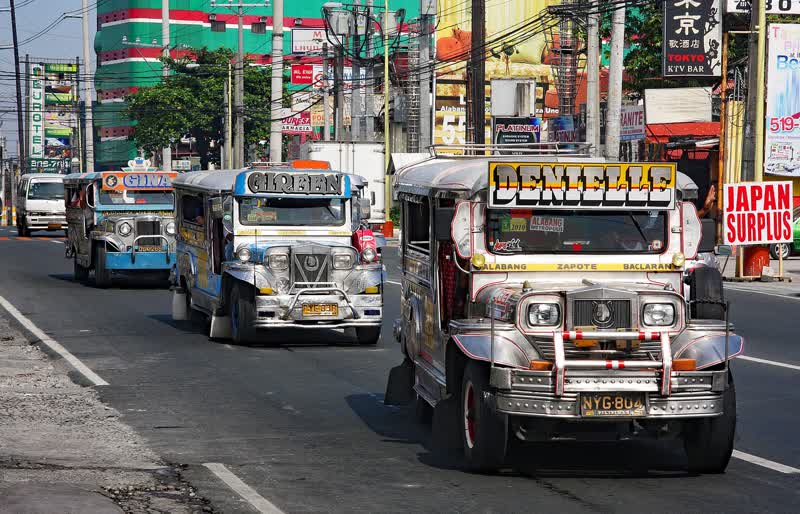
Tip: If you’re going to be island-hopping or spending time outside the big cities, Globe’s wider coverage is worth more than DITO’s faster speeds. In Metro Manila or Cebu, any of the three works fine.
Physical SIM vs eSIM
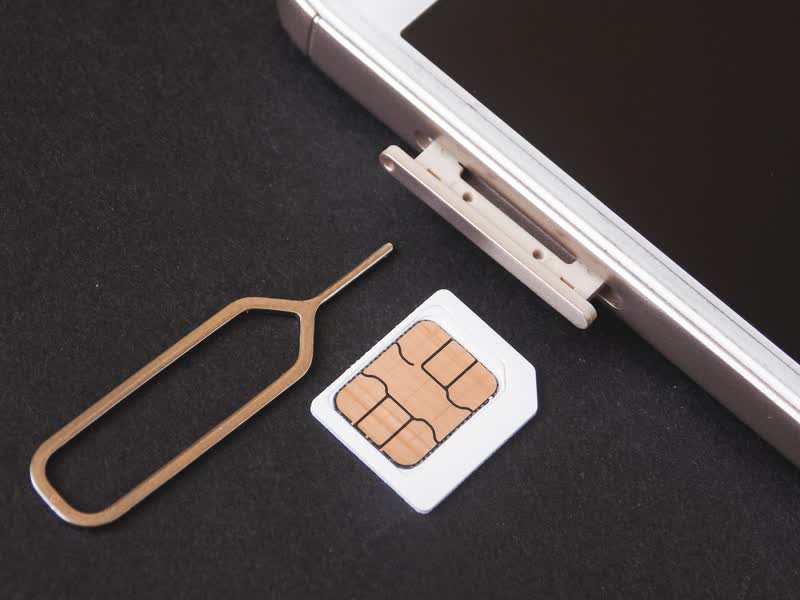
A physical SIM is still the most common choice and the easiest to top up at any corner store. You buy the card, register it, and it works in any unlocked phone with a SIM tray.
All three carriers now also sell an eSIM. Globe offers a Prepaid Traveler eSIM you can buy through the GlobeOne app before you arrive, Smart sells a prepaid eSIM managed through its GigaLife app, and DITO launched a prepaid eSIM in 2024 available in-store or through its app. An eSIM still has to be registered the same way a physical SIM does.
Separately, international travel eSIMs are the no-paperwork route for a short trip. Airalo’s Philippines eSIMs start at around US$4, and Holafly sells day-based unlimited-data plans. Both install before you fly and skip local registration entirely, but neither gives you a Philippine number, so they’re for data only.
Plans and Prices
Prepaid is how nearly everyone buys mobile data here. You load credit and register a data promo on top of it, usually by texting a keyword or tapping through the carrier’s app. Promos are sold in tiers by data amount and validity, from a single day up to a month.
DITO publishes its entry-level data sachets openly, and they’re a good illustration of just how cheap short-term data is:
| DITO Data Sachet | Price | Data | Validity |
|---|---|---|---|
| DATA 10 | PHP10 | 500MB | 1 day |
| DATA 20 | PHP20 | 2GB | 1 day |
| DATA 30 | PHP30 | 3GB | 3 days |
| DATA 50 | PHP50 | 5GB | 7 days |
Globe and Smart run their own equivalents: Globe’s GoSURF and GoUNLI promos and Smart’s GIGA series bundle data, calls, and app-specific allowances across a similar range of price points, from around a hundred pesos for a week up to several hundred for a month with a larger data cap. Prices and inclusions change often, so check the current promos on the carrier’s own app or website before you buy. For a full monthly budget picture beyond your phone plan, see ExpatDen’s cost of living in the Philippines guide.
For visitors, each carrier also sells a tourist or traveler SIM, a preloaded bundle with a large data allowance valid for the 30-day tourist window. These cost more per gigabyte than assembling your own promo but save you the setup, and they’re what most airport counters push. Remember that any tourist SIM is on the 30-day clock described below.
Where to Buy a SIM Card
SIMs are sold almost everywhere, but where you buy affects the price and how smoothly registration goes.
- Airport counters: Globe and Smart run desks in the NAIA arrivals hall, open around the clock and used to foreign passports, so they’ll register you on the spot. Convenient, but the tourist bundles here cost more than the same data bought in the city.
- Telco stores in malls: an official Globe, Smart, or DITO store is the most reliable place to register, especially if your local address isn’t settled, since staff can accept a hotel booking and pick the right document category for you.
- Convenience and supermarket chains: 7-Eleven, Ministop, SM, and Robinsons all sell SIMs and load, though you’ll still have to register the SIM yourself online.
- Online and in-app: you can order a SIM or buy an eSIM directly through the GlobeOne, GigaLife, or DITO apps.
SIM Registration for Foreigners
Since 2022, the SIM Registration Act (Republic Act No. 11934) has required every SIM in the country to be registered before it works. Prepaid or postpaid, the card is sold switched off. It only activates once you register it with a photo ID and a few personal details.
Filipinos can register with any of 17 accepted IDs. As a foreigner, you use your passport plus one or two supporting documents. Which ones depend on your visa, and the next few sections break that down.
Tip: Registration is free by law. If a store or an agent asks for a “registration fee,” that’s not a legitimate charge.
Who Has to Register
You fall into one of two groups, and which one applies decides how long your SIM stays active and what documents you bring:

- Tourists on a 9(a) visa. The standard tourist visa most visitors get on arrival, including the extensions you pick up at a Bureau of Immigration office to stay longer. On this visa, your SIM is valid for 30 days.
- Everyone on a longer-stay visa. Work, retirement, spousal, and student visas. No 30-day limit on the SIM, but you’ll need one extra document beyond your passport and proof of address.
The difference matters. If you arrive as a tourist and later switch to a longer-stay visa (a common path), you have to re-register the SIM under the second group to drop the 30-day expiry.
What Documents You Need
You don’t need a Philippine ID for any of this. Here’s what to bring, by visa type:
| Your visa | What to bring |
|---|---|
| Tourist (9(a) visa) | Passport (photo page and visa stamp), proof of address, and a return ticket |
| Work visa | Passport and proof of address, plus your Alien Employment Permit (from DOLE) |
| Retirement, immigrant, or other long-stay | Passport and proof of address, plus your ACR I-Card (from the Bureau of Immigration) |
| Student | Passport and proof of address, plus your school enrollment papers and student ID |
“Proof of address” is easy to satisfy: a hotel or Airbnb booking counts, or a short letter from whoever you’re staying with. So a first-time arrival can walk into a telco store with just a passport, a hotel confirmation on their phone, and a return flight, and register on the spot.
The one snag for long-stayers is the ACR I-Card. It takes weeks to process after your visa is approved, and you’ll usually need a working number well before then, for banks, landlords, and immigration itself.
The fix that telco staff and long-term expats both recommend: register as a tourist first, then switch the registration once your ACR I-Card comes through. Your SIM keeps working the whole time, which also buys you time to handle the rest of the paperwork that comes with moving to the Philippines.
How to Register by Telco
All three networks run the same basic process: fill out an online form, upload the ID and proof documents, take a selfie for a photo match, and wait for a confirmation text. Where they differ is in how forgiving the online portal is for someone without a fixed local address, and that’s exactly where in-store registration tends to win out.
| Telco | Online Portal | App | In-Store Option |
|---|---|---|---|
| Globe | Globe SIM registration portal | GlobeOne | Yes, any Globe store |
| Smart | simreg.smart.com.ph | GigaLife | Yes, any Smart or PLDT store |
| DITO | Link sent via SMS on activation | DITO app | Yes, any DITO store |
Globe offers three routes: its SIM registration portal, the GlobeOne app, or a physical Globe store. Online, you enter your Globe or TM number, verify it by SMS, fill in your details exactly as they appear on your passport, and upload the passport, visa page, and proof of address. Globe is explicit that expired passports aren’t accepted, so double check the expiry date before you start.
Smart (and its PLDT and TNT lines) uses the simreg.smart.com.ph portal, which takes most people five to ten minutes once the documents are ready. Tourists submit the passport, proof of address, and return ticket. Smart’s own guidance is direct about the deadline that matters: SIMs registered for tourists are valid for only 30 days and are automatically deactivated after that.
DITO sends a registration link by SMS as soon as a new SIM connects to the network, or you can register in the DITO app. Tapping through opens a form asking for the same passport, proof-of-address, and return-ticket combination, plus a selfie for facial verification. DITO’s guide lists the identical fallback documents for longer-stay foreigners: an Alien Employment Permit, an Alien Certificate of Registration, or a school ID.
In the expat forums, the consistent advice is to register in person rather than online whenever the local address isn’t settled yet. Store staff can accept a hotel booking or a landlord’s letter on the spot and pick the right document category, where an online form sometimes rejects an address that doesn’t match a booking confirmation exactly.
Registration Deadlines
There’s no single “SIM registration deadline” left for new arrivals to worry about. That deadline applied back in 2023, when everyone who already owned a SIM before the law took effect had 180 days (later extended) to register it. What matters now, on an ongoing basis, is the deadline built into your own SIM:
New SIM, any nationality: it has to be registered before the network activates it. There’s no grace period to use it first and register later.
Tourist SIM (9(a) visa): valid for 30 days from registration, then it deactivates on its own.
Extending past 30 days: the only way to keep the same SIM active is to show the telco an approved visa extension before the 30 days run out.
Other visa categories: no 30-day limit applies once you’ve registered with the correct supporting document.
What Happens If You Don’t Register
An unregistered or expired SIM simply stops working, whether from never registering a new one or letting a 30-day tourist SIM expire without a visa extension on file:
- No calls or texts, incoming or outgoing.
- No mobile data, which also cuts off anything that relies on that number for two-factor codes.
- No mobile wallet access. GCash, Maya, and similar apps tied to the number stop working along with it, which matters if you’ve linked one to an open bank account in the Philippines for day-to-day spending.
- Forfeited load and promos. Any prepaid balance or active promo on the SIM is gone once it deactivates.
There’s a short reactivation window after a lapse to complete registration before the number is shut down permanently and recycled. After that, the number itself is gone for good.
One detail confuses a lot of people: the jail time and PHP100,000 to PHP300,000 fines quoted online. Those apply to using a fake identity or false documents to register a SIM, or to selling stolen SIMs. They don’t apply to registering late. Letting a SIM lapse simply gets it deactivated, with no criminal penalty attached.
Tip: If a store tells you it can’t register your SIM despite you showing up with the correct documents, that store is the one out of compliance. The IRR fines telcos PHP100,000 to PHP300,000 for a first offense of refusing to register an end-user who has met the requirements, rising to between PHP500,000 and PHP1,000,000 per offense from the third offense.
Loading and Checking Your Balance
Once your SIM is registered, keeping it topped up is the easy part. “Load” is the local word for prepaid credit, and you can buy it almost anywhere:
- Retail: sari-sari (neighborhood) stores, 7-Eleven, and supermarket counters all sell load. Tell them your number and the amount, and it’s sent electronically.
- Apps: GCash and Maya both have a “Buy Load” feature for every network, which is the most convenient way once you have a wallet set up.
- Carrier apps: GlobeOne, GigaLife, and the DITO app let you load and register promos directly.
To turn plain load into a data promo, you register the promo, either by texting its keyword to the carrier’s short code or by tapping it in the app. To check what you have left, dial *143# on Globe or TM, *123# on Smart or TNT, and *185# on DITO, or just open the carrier’s app, which shows your balance and remaining data on the home screen.
Keeping Your Number Active
Prepaid load in the Philippines is valid for a year from your last top-up, a rule the NTC put in place to stop credit expiring in days. That’s generous, but it doesn’t mean a SIM lasts forever untouched.
Leave a prepaid SIM completely unused, with no load, calls, or data, for several months and the carrier eventually deactivates it and recycles the number. If you’re leaving the country but want to keep the same Philippine number for a future trip, or because it’s linked to your GCash and bank logins, load even a small amount every few months to reset the clock and keep the line alive.
Now, on to You
Getting connected in the Philippines is quick once you know the order of operations: pick Globe if you want the widest coverage, buy a SIM or tourist bundle at the airport or a mall store, and register it with your passport, hotel booking, and return ticket before it switches on. Keep an eye on the 30-day tourist clock if you’re staying longer, top up at any corner store, and you’ll have a working local number, and everything that runs on it, sorted on day one.
FAQ
Which network is best for a foreigner?
Globe is the safest all-round pick thanks to the widest coverage, especially if you’ll travel beyond the big cities. Smart is a close second and strong on 5G in urban areas, and DITO is the cheapest for data but has thinner coverage, so it works best as a city SIM or a backup line.
Can I buy and register a SIM at the airport?
Yes. Globe and Smart run counters in the NAIA arrivals hall that sell tourist SIMs and register them on the spot with your passport. It’s the fastest way to land with a working number, though the airport bundles cost a little more than buying in the city.
Can I register a Philippine SIM before I arrive?
Not fully. Some telcos let you start the process while abroad if you already know your Philippine address and travel dates, but the SIM only activates once you’re in the country, and registration references documents (passport, address, return ticket) you present at that point.
Does an eSIM need to be registered too?
Yes, if it’s a local Philippine eSIM from Globe, Smart, or DITO. The SIM Registration Act covers the subscription, not the physical card, so a local eSIM goes through the same steps. An international travel eSIM like Airalo doesn’t, since it isn’t a Philippine number.
What if I don’t have a hotel booking, because I’m staying with a friend?
The IRR allows for that. In the absence of a hotel or other paid accommodation, an affidavit or letter from the homeowner where you’re staying counts as proof of address.
Do I need to register more than one SIM if I use two networks?
Yes. Registration is per SIM, not per person. A dual-SIM phone with a Globe number and a Smart number needs both registered separately, each with its own uploaded documents even though the passport is the same one.
Is in-person registration going to become mandatory?
Not yet. The NTC has proposed requiring a personal appearance for SIM registration as part of a broader push against text scams, but as of August 2026 it’s still under review and hasn’t changed how registration actually works.








'/%3E%3Cpath%20fill='%23b2b2b2'%20d='M241%20382q0%2016%2017%2026%2017%2011%2042%2011t42-11q16-11%2017-26V269H241'/%3E%3Cpath%20fill='%239f7e00'%20d='M241%20379q0%2014%208%2023%209%209%2021%209%2014%200%2021-9%209-9%209-23V269h-59'/%3E%3Cpath%20d='M241%20339v-70h59v110q0%2014-9%2023l-6%205v-68h-15v72q-8%200-14-4v-68zm59%2040c0%2022%2015%2032%2029%2032%2021%200%2030-18%2030-32v-40h-59'/%3E%3Cpath%20fill='%239f7e00'%20d='M266%20277v5h2v12h-3v-5h2v-5h-9v5h2v5h-4v9h3v18h-5v10h34v-10h-5v-18h3v-9h-4v-5h2v-5h-9v5h2v5h-3v-12h2v-5zm42%20101q0%2010%206%2017%206%206%2015%207%2010-1%2016-7%206-7%206-17v-29h-43'/%3E%3Ccircle%20fill='%230044ad'%20cx='329.5'%20cy='372'%20r='6'/%3E%3Cellipse%20fill='%230044ad'%20cx='300'%20cy='340'%20rx='16'%20ry='21'/%3E%3C/svg%3E) Español:
Español: Français:
 Deutsch: