
This article will take approximately 16 minutes to read. Don't have the time right now? No worries. Email the ad-free version of the article to yourself and read it later!
You land in Indonesia, pop in a local SIM, and your phone shows “No Service”. Don’t worry, it isn’t broken. Indonesia just keeps foreign phones off its mobile networks until you register them.
Good news first: registering is free. Your Wi-Fi, Bluetooth and home SIM on roaming keep working the whole time. It’s only the Indonesian SIM that needs your phone on the list.
The easiest place to sort it out is the customs counter at the airport, before you walk out. Register there and the first US$500 of your phone’s value is tax-free.
Already left the airport? You can still register at a customs office in town, but then you pay tax on the phone’s full value.
This guide covers who needs to register, how the airport counter works, what to do if you walked past it, and when a roaming eSIM is the smarter move.
Disclaimer: This article may include links to products or services offered by ExpatDen's partners, which give us commissions when you click on them. Although this may influence how they appear in the text, we only recommend solutions that we would use in your situation. Read more in our Advertising Disclosure.
Key Takeaways
- An Indonesian SIM only works in a phone whose IMEI is registered. Wi-Fi and roaming aren’t affected.
- Visiting for 90 days or less? You can roam on your home SIM, or buy a local SIM and have the phone operator set up a temporary IMEI.
- Staying longer? Register with Bea Cukai (customs) at the airport. Each person can register up to 2 devices.
- The first US$500 of value is tax-free if you register on arrival. Above that you pay 10% duty plus VAT on the excess. A US$800 phone costs about US$66.
- Miss the counter and you have 60 days to register at a customs office, without the allowance.
- Laptops aren’t on the list.
What IMEI Registration Is and Why Indonesia Asks for It
Every phone has an IMEI, a 15-digit serial number that belongs to the handset itself, not to your SIM. Dial *#06# and it pops up.
Indonesia keeps a list of approved IMEIs, and its mobile networks only serve phones on that list. A phone you bought abroad isn’t on it until you register it.
The rule covers phones, handheld computers and tablets, which customs lumps together as HKT (short for the Indonesian words for all three). It applies to devices brought in since 15 September 2020.
Bea Cukai’s IMEI poster gives four reasons for the rule:
- Stopping black-market phones: handsets smuggled in without paying import duty.
- Protecting buyers: from phones sold without an official warranty.
- Helping local industry: Indonesia’s own phone makers and sellers.
- Keeping track of devices: knowing which telecom devices are in use in the country.
For you, it comes down to one extra stop at customs when you land, and maybe some duty on an expensive phone.
Do You Need to Register Your Phone?
You need to register your phone with customs if you’ll use an Indonesian SIM in it for more than 90 days. Shorter stays have an easier route through the phone operator, and roaming needs nothing at all.
Nothing happens at the border if you skip it. Nobody takes your phone away. It just won’t connect to a local network until its IMEI is on the list, and that’s the only thing registration changes.
Staying 90 Days or Less
Short-stay visitors can skip customs registration altogether, with either of these:
- Roam on your home SIM or a travel eSIM: Bea Cukai says foreign tourists on roaming don’t need to register the IMEI at all.
- Buy a local SIM: visitors staying no more than 90 days can register the IMEI at the operator’s outlet when they buy it.
The temporary 90-day IMEI is only for foreigners, and the phone operator sets it up, not customs. Indonesians coming home don’t get it.
Not sure how long you’ll stay? Check what your visa allows first. Our Indonesia visa guide covers the options. If there’s a chance you’ll go past 90 days, register with customs on arrival. The customs window closes after 60 days.
Staying Longer or Getting a KITAS
Staying more than 90 days? Register your phone with Bea Cukai, Indonesia’s customs service, at the airport when you land. Each person can register up to 2 devices, and phones, handheld computers and tablets all count toward that.
Already left the airport, or arrived by sea or land? You can still register at any Bea Cukai office in Indonesia within 60 days of arriving.
Bring your passport, your ticket or boarding pass, the phone and the receipt. You lose the US$500 allowance that way, though. We cover the details in “If You Missed the Airport Counter” below.
The operator’s temporary IMEI is meant for visitors, so long-stayers go through customs instead. That goes whether you’re coming to work in Indonesia on a KITAS, moving to Bali for good, or arriving on a digital nomad visa.
Laptops and Tablets
Good news for laptops: they aren’t on Bea Cukai’s list of devices that need an IMEI. The list covers mobile phones, plus handheld computers and tablets with a cellular connection. A Wi-Fi-only tablet isn’t on it either.

Grey Area: The list doesn’t name laptops, but it doesn’t mention laptops with a SIM slot either. If yours takes a SIM and you want to use an Indonesian one in it, ask at the customs counter.
The Customs Allowance
Every passenger gets a US$500 customs allowance each time they arrive, and a phone you register at the airport counts against it. Indonesians and foreigners get the same allowance.
It’s one allowance for everything in your bags, not US$500 per item. A family travelling together gets one each, though.
Go over US$500 and you only pay on the part above it. First comes 10% import duty. Then VAT, at an effective 11%, goes on that excess plus the duty. So a US$800 phone is taxed on US$300.
Duty and VAT are the whole bill. Bea Cukai’s own IMEI poster works through that US$800 phone and lands on US$66.30. Business press covering the June 2025 rule change agrees there’s no income tax on personal goods over the limit.
Now take a US$1,200 phone registered at the airport. You’re taxed on the US$700 above the allowance. Duty is US$70. VAT then goes on US$770 and adds about US$85.
Register the same phone late, after leaving the airport, and the whole US$1,200 gets taxed. The bill jumps to about US$265, for the same phone.
| Phone price | When you register | What you pay |
|---|---|---|
| Up to US$500 | At the airport | Nothing |
| US$800 | At the airport | About US$66 in duty and VAT |
| US$1,200 | At the airport vs. late (no allowance) | About US$155 vs. about US$265 in duty and VAT |
Bring the receipt if you still have it. Bea Cukai lists it as optional, so you can register without one. Expats in the forums still say to bring it, because without one the officer decides what the phone is worth.
Common Misunderstanding: Older guides that add 10-20% income tax on top are out of date. So are forum posts quoting a much bigger total tax bill. They predate the June 2025 change.
How to Register Your Phone at the Airport
You register your phone at the Bea Cukai IMEI counter in arrivals, before you leave the customs area, and it costs nothing. Bea Cukai promises to have it done within 3 hours.
- Fill in the form: use Bea Cukai’s online IMEI form, the Mobile Beacukai app, or the customs part of the All Indonesia arrival declaration. You get a QR code at the end.
- Go to the counter: show the QR code, your passport, your boarding pass, the phone and the receipt if you have one.
- Pay if you owe anything: the officer works out any duty and VAT on the part over US$500.
- Wait for the signal: Bea Cukai sends your IMEI to the communications ministry, and the phone should work on a local SIM within 48 hours.
No form filled in? An officer can scan your phone and passport at the arrival terminal instead. You get a red QR receipt, and it counts the same way at the counter.
Do it at the airport even if your phone already works on roaming. That’s the forum consensus, and people who skip it tend to find out a month later, at the SIM counter.
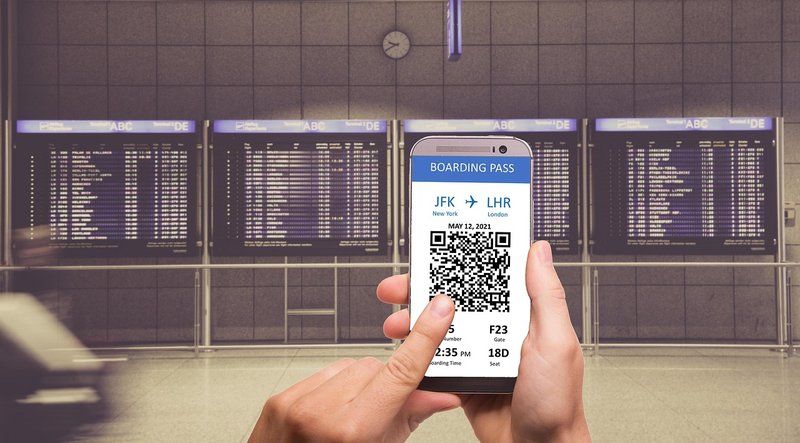
Before You Go: Fill in the IMEI form before you fly and screenshot the QR code. Then you’re not typing 15-digit numbers at the baggage belt.
If You Missed the Airport Counter
You can still register a phone at any Bea Cukai office up to 60 days after you arrive. You lose the US$500 allowance that way, unless an officer scanned your phone at the airport.
Within 5 Days
If a customs officer scanned your phone and passport at the airport, you get a red QR receipt. Take it to a nearby Bea Cukai office within 5 days and you keep the US$500 allowance.
Up to 60 Days
Left the customs area without that scan? Any Bea Cukai office can still register the phone, but you pay duty and VAT on the full value, with no allowance.
Bring the same papers as at the airport: passport, ticket or boarding pass, the phone, the form’s QR code and any receipt. If a friend goes for you, they need a signed power of attorney.
The 60 days count from your arrival date. After that, Bea Cukai can’t register the phone any more.
After 60 Days
Past the 60-day mark, customs is no longer an option for that phone. These workarounds still get you online:
- Roaming: keep your home SIM or switch to a travel eSIM.
- A second phone: buy a cheap phone in Indonesia for your local SIM and use it as a hotspot.
What Happens to an Unregistered Phone
An unregistered phone gets no service on an Indonesian SIM, so no local calls, texts or mobile data. Wi-Fi still works, and so does your home SIM on roaming.
That gap is where the scams come in. Bea Cukai has warned about people offering IMEI registration or “unlock” services, online and at phone stalls.
Heads Up: Bea Cukai calls IMEI “unlock” services illegal. Official registration is free, so there’s nothing to pay a middleman for.
Roaming, Tourist SIMs and eSIMs
Roaming needs no IMEI registration at all, which makes it the simplest option for a short or uncertain stay. A local SIM is the usual pick once you’re settled.
We’d go local as soon as you’re sure you’re staying. Your phone then behaves like any Indonesian phone, with no roaming bill to keep an eye on.
- Home SIM or a travel eSIM: no registration, and it works for your whole stay. You pay roaming rates, though, and heavy data users feel it.
- Local SIM: as a foreigner, you register the SIM itself at a Telkomsel GraPARI or a designated outlet. Bring your original passport, KITAS or KITAP.
If you also want a VPN for the trip, our guide to the best VPN for Indonesia compares the options.
Our Pick: Register at the airport if your phone is under US$500 or close to it. For an expensive phone you’ll only use here for a few months, a roaming eSIM can beat paying duty.
Read more: Cost of Living in Indonesia
Frequently Asked Questions
Does my laptop need IMEI registration?
Not as far as Bea Cukai’s device list goes. It covers phones and cellular handheld computers and tablets. A laptop that takes a SIM is the one case worth raising at the counter.
Can I register a phone I bought in Indonesia with Bea Cukai?
No. Bea Cukai only registers phones bought abroad, either carried in as luggage or shipped in. A shipped phone needs its IMEI on the paperwork too, as our guide to shipping to Indonesia explains.
Do KITAS holders get the 90-day temporary IMEI?
Bea Cukai doesn’t say either way. It describes the temporary IMEI as something for foreign visitors, set up at operator outlets, and stops there. On a KITAS for the long haul, we’d register with customs to be safe.
My phone is over US$500 and I’m only staying 2 months. Should I register it?
Probably not. For a 2-month stay, roaming or the operator’s temporary IMEI avoids duty altogether. Registering a US$1,200 phone at the airport costs about US$155, which buys a lot of roaming data.
Do dual-SIM phones count once or twice?
Once. Bea Cukai says registration is per device, not per SIM, so both slots should work after you register. A dual-SIM phone shows two IMEIs when you dial *#06#. Enter both if the form asks for a second one.
Does the rule apply to an eSIM-only iPhone?
Yes. The rule covers phones that connect to Indonesian cellular networks, and an Indonesian eSIM connects just like a physical SIM. An eSIM from a provider back home roams, so it needs no registration, same as a home SIM.
How do I check that my phone is registered?
Enter the IMEI on Bea Cukai’s cek-imei page. It shows phones registered as passenger goods or shipments. Bea Cukai says it can’t show the temporary IMEIs that operators set up for visitors.
What if I lost the receipt?
You can still register. The receipt is only needed “if you have one”, and the officer checks the phone and sets its customs value instead.
Bea Cukai doesn’t publish how it values a phone without a receipt, so you can’t be sure the figure will match what you paid. If your phone is worth well under US$500, it hardly matters, because there’s nothing to pay either way.
For a pricier phone, look for the order email or the purchase in your online store account and bring a screenshot. We’d expect it to help, but we can’t promise the officer will accept it.
Does each family member get their own allowance?
Yes. The US$500 allowance and the 2-device limit both apply per person. A couple can register four devices between them.
Sources Cited
- Bea Cukai, IMEI registration poster (Tanjung Emas): device limit, deadlines and the duty example.
- Bea Cukai, IMEI leaflet (Tanjung Emas): devices covered, documents and the allowance on personal goods.
- Bea Cukai, IMEI service standard: registering before you leave customs, no fee, service time and the red QR receipt.
- Bea Cukai regulation PER-7/BC/2023: late registration without the allowance.
- Ministry of Finance, PMK 34/2025 abstract: the passenger allowance.
- Ministry of Finance, PMK 131/2024: the effective VAT rate on imports.
- Komdigi, Permenkominfo 1/2020 abstract: the rule covers devices on mobile cellular networks.
- Telkomsel, SIM registration: how foreigners register a SIM.
- DDTCNews, quoting Bea Cukai: roaming and the temporary IMEI for short-stay visitors.
- DDTCNews, quoting Bea Cukai’s contact centre: the temporary IMEI is only for foreigners.
- DDTCNews, quoting Bravo Bea Cukai: keeping the allowance at a customs office.
- DDTCNews, quoting Soekarno-Hatta customs: the allowance per person, per arrival, for Indonesians and foreigners.
- DDTCNews, quoting Bea Cukai’s contact centre: registration per device, not per SIM.
- DDTCNews, quoting Bea Cukai’s contact centre: what the cek-imei page can and can’t show.
- DDTCNews, quoting Bea Cukai: the warning on IMEI unlock services.
- Kontan: no income tax on personal goods over the allowance.