This article will take approximately 14 minutes to read. Don't have the time right now? No worries. Email the ad-free version of the article to yourself and read it later!
When moving abroad, a VPN is becoming essential now. In the past, expats mainly used it for watching their favourite shows. But now, you may need a VPN to access banking in your home country.
With many options available in the market, if you’ve never used a VPN before, it can be a bit overwhelming to choose the best option.
I’ve been testing ExpressVPN, one of the better-known options, for many months now.
I felt it would be worth writing a review specifically for expats to explain why it might be the best VPN for their needs.
Below, you’ll find pretty much everything you need to know about ExpressVPN.
What Can You Do with ExpressVPN?
ExpressVPN is a Virtual Private Network. In short, it acts as a middleman between your internet-connected device and the website or service you wish to access. Its main benefit is added security, as no one else can access the “network” or connection you’re using.

VPNs are obviously a lot more complicated than this, but the above description is all we really need to know when talking about commercial VPNs for average users. While security is the main purpose of a VPN, there are some other benefits, such as:
- You can use public internet networks without fear of compromising your device or passwords/security information. This is a big bonus for expats who might move around a lot and not have a stable at-home internet connection.
- An “accidental” benefit of a VPN is that it lets you change the country that the website thinks you’re in. VPNs have servers in different countries, and connecting through one tricks a website into thinking that’s where you’re based.
- VPNs let you access region-locked content, such as streaming services. All major streaming sites change their content by country, so a VPN lets you get around this.
- Similarly, you can access other geo-restricted sites, such as domestic banking services. Most banks don’t operate in foreign countries because of finance laws, and a VPN lets you get around these. For example, if you live in Mexico, you may need a VPN to access your US online bank account.
The bottom line is that ExpressVPN allows you to do anything online that you can with other VPNs. It’s a pretty decent option for expats who might not be very tech-savvy because, unlike other VPNs, it doesn’t offer loads of extras in its app.
Sure, this might not sound like a good thing, but if all you want is a VPN that can connect you to your home country, it’s actually a benefit. It saves you from having to figure out how the app works and what other services you might need – it’s basically click-and-go.
What Makes ExpressVPN Different to Other VPN Providers?
Choosing the right VPN can be difficult because they mostly do the same thing, but usually have unique selling points. So, what’s special about ExpressVPN?
Number of Servers
As mentioned, a VPN service owns servers in different countries. The number of servers it has is usually a good sign of its popularity and quality. More servers mean more customers can connect at the same time without loss of speed.
But we must also think about how many countries these servers cover. Unsurprisingly, more countries mean greater flexibility with geo-restricted content, and more servers in a country mean options for where you want to set up your connection. This can be important in countries such as the US, where you need to think about different time zones and state regulations.
ExpressVPN has thousands of servers in more than 105 countries worldwide. This is normally sufficient no matter where you are in the world.
Privacy and Security
As mentioned, security is essentially the main purpose of a VPN, so it’s important to know what a particular service offers.
ExpressVPN uses AES-256 encryption, which is the industry standard for commercial VPNs. While there are more secure options, AES-256 is incredibly secure. It also has several VPN protocols.
In simple terms, this is a set of rules that states how data is transferred over the VPN connection. A protocol affects speed, security and stability. The benefit of having options is that you can use different protocols if you’re having issues in your country.
Importantly, ExpressVPN doesn’t retain any data from your connection. The company is based in the British Virgin Islands, which has no data retention laws, is generally quite relaxed, and isn’t part of any international surveillance agreements.
But what does this mean for you?
It means that ExpressVPN won’t store any information about your computer or actual location, making it a secure and legitimately private service.
Ease of Use
A major selling point for ExpressVPN, in my opinion, is its ease of use. The computer and phone app is a simple screen with a single box and button. You choose your server and hit connect – that’s it.

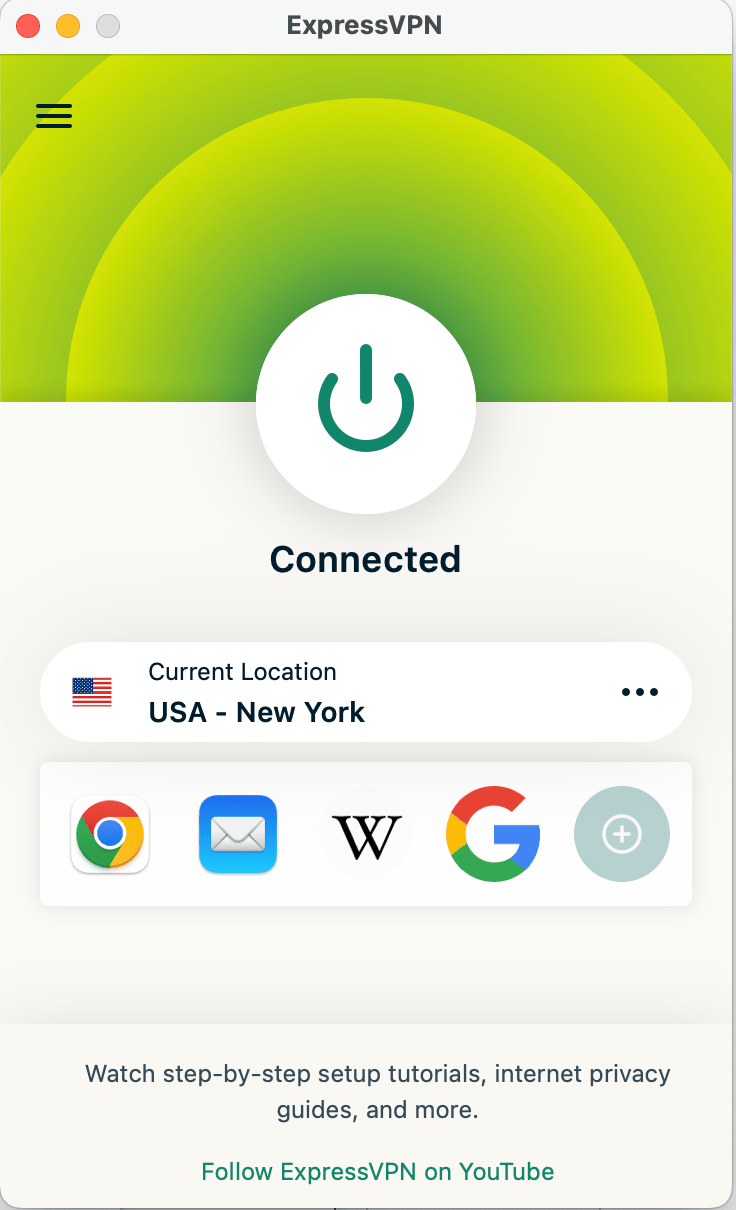
Sure, other VPNs offer bells and whistles, such as different modes or server-hopping. But if you’re not tech-savvy, these features could end up weighing you down as you spend time figuring out how to use them. This isn’t the case with ExpressVPN – it’s essentially download and use.
The ExpressVPN main page is incredibly straightforward, making it simple to use.
Device Connections
VPNs typically let you connect several devices at once from the same account. ExpressVPN is no different. Its limit is 8 devices connected at the same time using the same account. For most people, this’ll be fine because you can set it up on more than 8 devices – this is just your limit for simultaneous connections.
Some services let you have unlimited connections, but I don’t think this is necessary for most people. However, if you think you’d need more, ExpressVPN lets you buy extra subscriptions for your main account to increase the number of devices you connect.
Connection Speed
ExpressVPN is among the fastest VPNs in the world. When I initially wrote the review in 2024, the average speed was just 223 Mbit/s. However, two years later, it went over 800 Mbit/s.
So, the speed is more than enough, even when you stream 4K online.
How to Use ExpressVPN
ExpressVPN is easy to set up on all kinds of devices. As with other VPNs, it has dedicated apps for Android and iOS devices, and you can download a program on your computer.
We have 3 main options for setting up ExpressVPN: on your computer/mobile device, on your smart TV, or directly on your router. I’ll explain the steps below, but they’re all fairly easy.
How to Set Up ExpressVPN on your Computer
1. Open an Account
The first step is to visit the ExpressVPN website and set up an account. It guides you through the process, which includes selecting your payment plan. Once you’ve paid, you’ll move on to the next step.
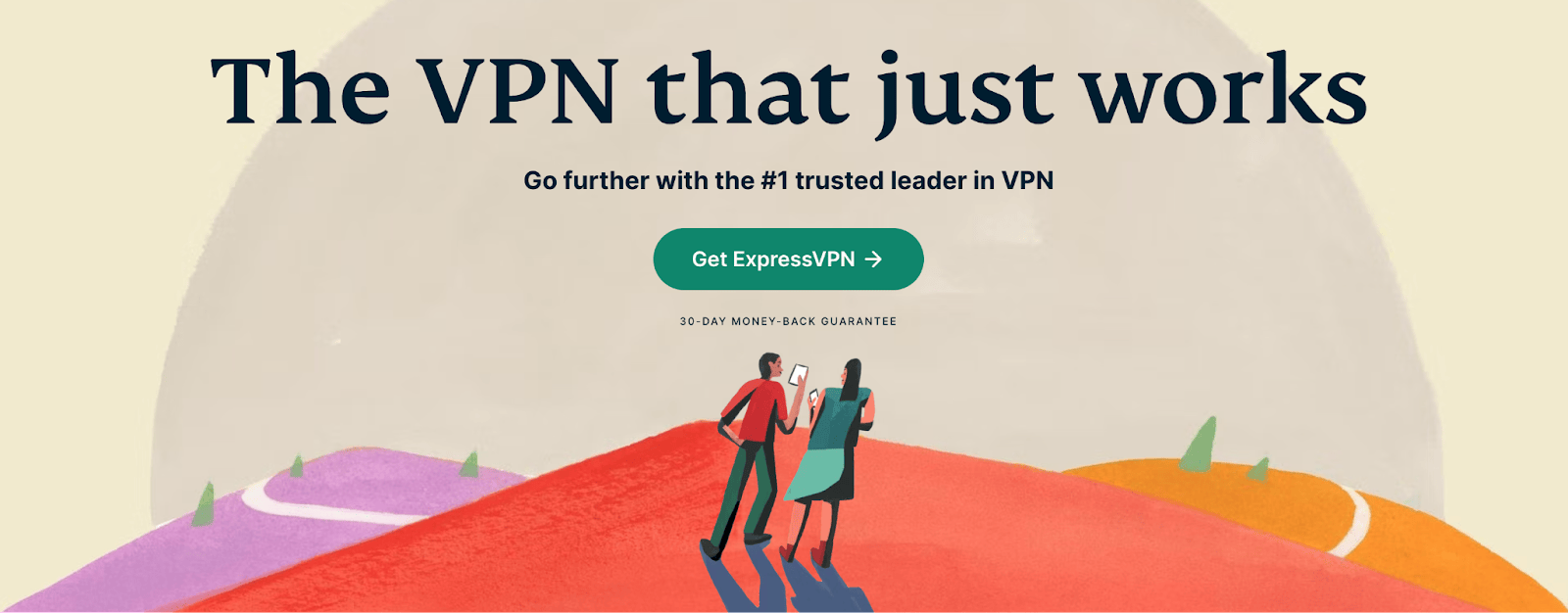
The home page makes it easy to set up your ExpressVPN account.
2. Download ExpressVPN
The website will know what device you’re accessing it from and will suggest the correct program option. For me, this was a Mac device, and you just click the download button it suggests.
It’ll download the installation file and install the ExpressVPN app on your computer. On the download page, there will be an access code – make sure you copy this because you’ll need it next.
3. Choose a Server
In the app, paste the authorization code and it’ll log you in. The app will then use smart detect to figure out where you’re accessing it from using your IP address.
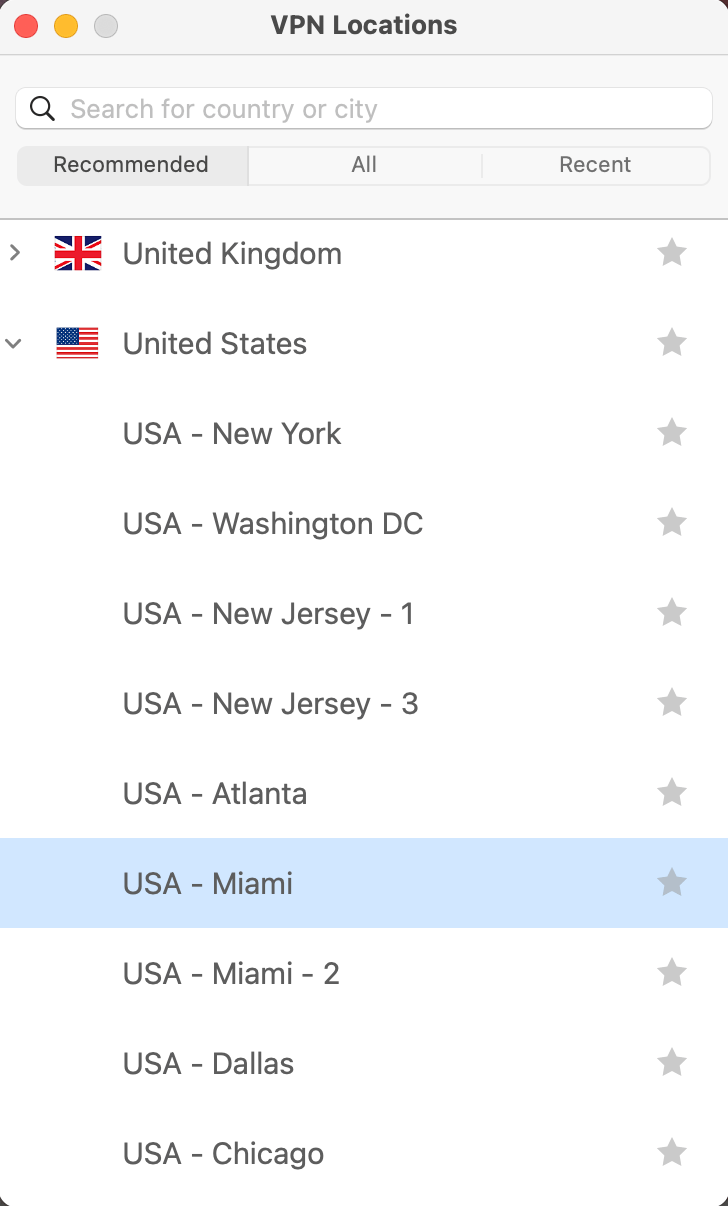
After it’s done this, you can select a server from the list. Any country with an arrow to the left of its name has several servers in a dropdown menu – simply browse them and select the one you want. Click the server, and it’ll connect you.
The dropdown menu next to a country name means it has numerous servers available.
How to Set Up ExpressVPN on a Smart TV
Setting up ExpressVPN on your smart TV can be a simple process. It has apps for Android-powered TVs and Amazon Fire sticks and Fire TVs. Visit the app store on your TV, download the app and sign in as normal.
For other TVs, such as Samsung, LG, Apple, etc., you’ll need to use a slightly more complicated option. That said, it’s not particularly difficult. The steps are as follows:
1. Sign in to ExpressVPN on your computer.
2. Click on the DNS Settings options from the menu on the left.
3. Click Register my IP address (you only need to do this once).
4. Return to the main page and click on Device Set Up.
5. There should be an option called MediaStreamer DNS.
6. It’ll give you an IP address, which you should note down.
7. Go to your TV and find the Network settings menu.
8. Find the option to manually configure your DNS, and enter the IP address you took down earlier. Restart your TV and it should now be connected.
If this sounds too complicated, you can also screenshare from a VPN-connected device onto your TV. However, bear in mind that this isn’t possible on some services, such as Netflix.
How to Set Up ExpressVPN on Your Router
Setting up a VPN on your router is the most complicated option, but also means you don’t need to set it up on every device you want to connect. It’s helpful if your TV doesn’t have a native app, too.
ExpressVPN has a guide for setting up its VPN on your router. I recommend visiting that page for more information, as the exact steps will vary depending on your router make and age.
However, a far easier option is to buy an ExpressVPN Aircove router. It comes with the VPN already set up, making it much simpler. Better yet, it offers fast Wi-Fi speeds and you can pick it up on Amazon.
ExpressVPN Pricing
ExpressVPN has a very clear pricing structure. Whereas other services offer different tiers, Express only has one. This makes it much easier to understand – you get everything it offers on a single tier.
As usual, though, there are different payment options. As of March 2026, the current prices in US dollars are:
| Payment Plan | Price per Month ($) |
| Monthly | 12.99 |
| 12-month | 3.49 |
| 24-month | 2.44 |
The 24-month plan offers the best value for money. It’s also among the cheapest VPNs on the market, depending on the deal you get. Sometimes, Surfshark can be cheaper, but the difference is minimal and not something you should worry about.
So, in terms of speed, number of servers, and ease of use, it’s a really good deal right now.
All subscriptions come with a 30-day money-back guarantee. This has generally become the standard with VPNs compared to a free trial. The benefit is that you get access to everything rather than having a trial version of the service. Plus, it’s easy to get a refund – you can do it through the website’s chatbot in minutes.
ExpressVPN FAQs
Is ExpressVPN trustworthy?
ExpressVPN is one of the more trustworthy VPNs on the market. Its headquarters are in the British Virgin Islands, which has no data retention laws. This means your connection is not only secure but also as private as it can be. While this might not be top of your priorities, it’s an important selling point.
Does ExpressVPN work on iPlayer?
BBC iPlayer is notorious for blocking VPNs. As it stands, ExpressVPN can connect to iPlayer, and there are numerous UK-based servers to choose from. This means that if you have issues with one server, try connecting to another, and you should be fine.
Is ExpressVPN overpriced?
No, not at all. When I first wrote the article in 2024, ExpressVPN was among the most expensive options, and you could expect to pay at least US$6 per month even for their cheapest plan. But now they have changed their pricing structure and significantly lowered their prices. So, their pricing is now on par with other popular providers in the market.
What I Like About ExpressVPN
So, based on my use of ExpressVPN, here’s what I like about it:
- Ease of use. I’ve mentioned this a few times, but ExpressVPN is so easy to use. You can set it up with a few clicks, making it a great option for expats who might not want to mess about with tech.
- VPN router. The option of a VPN-enabled router is game-changing because of the flexibility it can provide.
- Physical servers. Many VPNs use virtual servers. But many servers from ExpressVPN are physical servers. This means more stable and secure connections without any loss of speed.
What I Don’t Like About ExpressVPN
Of course, no service is faultless. Here are some of my (minor) downsides of ExpressVPN:
- Bare-bones service. The simplicity of ExpressVPN is a big selling point, but also a potential downside. If you’re looking for a VPN with connection and privacy options above the standard, you won’t find it here.
Is ExpressVPN Worth It?
So, is ExpressVPN worth it for expats?

I’d say so, especially for those who don’t want to be weighed down by extras on top of the basic VPN service.
Sure, there are people who appreciate these, but if all you need is a straightforward VPN, Express might be the option for you.
Of course, if you try it out and don’t agree, you’re covered by the 30-day money-back guarantee. You can open ExpressVPN account using this link.
Want to explore more options? Read my other guides on NordVPN review and SurfShark VPN review.





 Deutsch:
  ไทย:
ไทย:  Français:
  Português:
  Português:
  Español:
  Español:
  中文 (中国):
  Русский:
  Nederlands:
  العربية:
  Italiano: